
AI Automation
How AI Document Automation Reduces Manual Data Entry
Why document-heavy teams lose time to re-keying — and how automation can extract, validate and pass data into business systems.
20 Aug 20268 min read
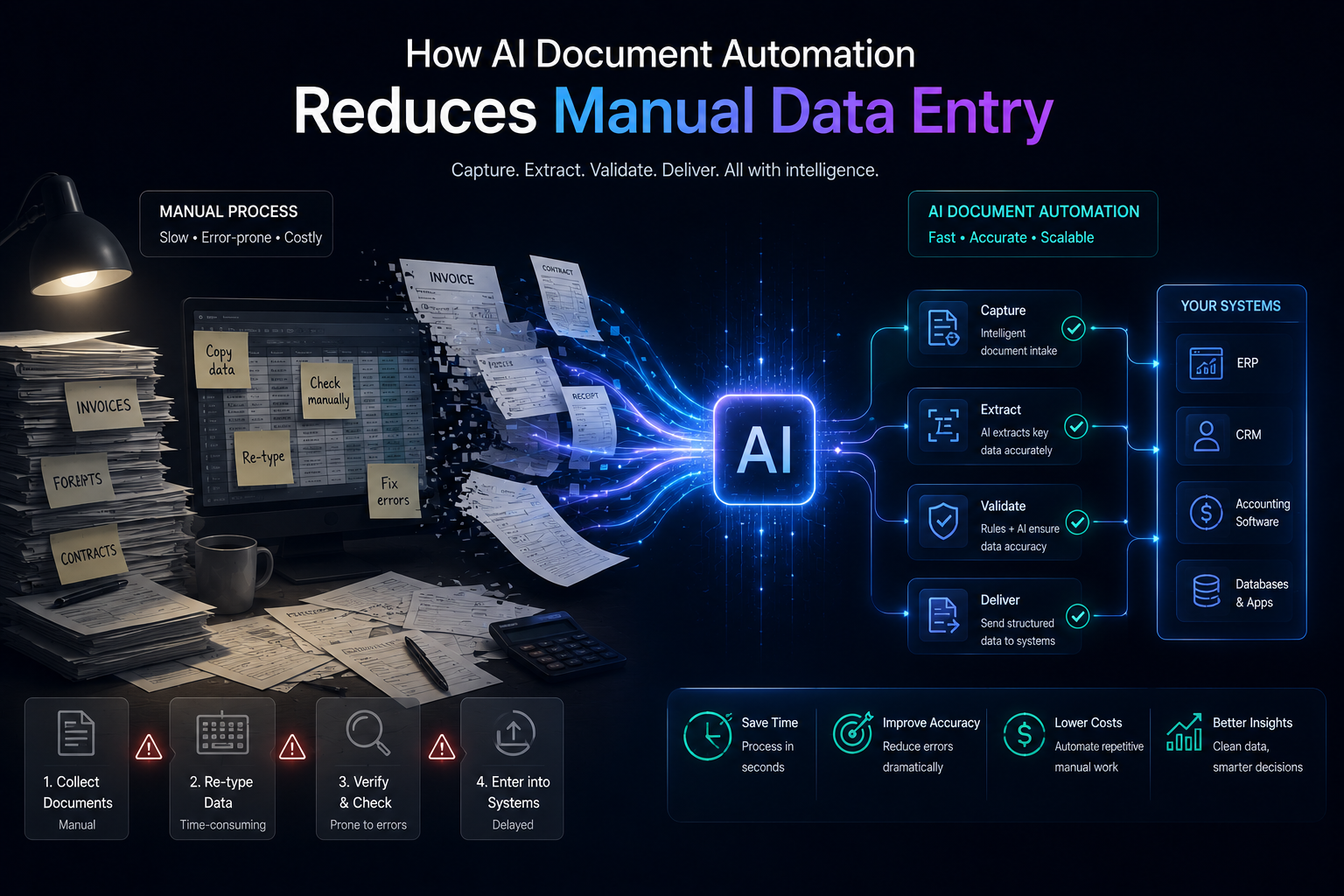
Manual data entry thrives wherever documents still carry the truth: invoices, forms, contracts, delivery notes, application packs. Someone reads the file, interprets the fields, and types them into a system. AI document automation targets that re-keying loop — carefully, with validation and human review where needed.
The typical manual path
- A document arrives by email, upload or scan
- An employee opens it and finds the relevant fields
- Values are typed into ERP, CRM or a spreadsheet
- A manager may check exceptions later
- Errors surface only when something downstream fails
The cost is not only typing time. It is backlog, inconsistency and delayed updates to the systems that run the business.
What document automation actually does
1. Ingestion
Documents are captured from email, folders, portals or scans into a controlled intake queue. Naming and filing become systematic instead of depending on individual habits.
2. Extraction
AI reads the document and pulls structured fields — dates, amounts, reference numbers, customer names, line items — according to the document type. Quality depends on template consistency and image clarity.
3. Validation
Business rules check whether values make sense: required fields present, totals matching, vendor known, dates plausible. Validation is where many “AI demos” become production-ready work.
4. Human review
Low-confidence fields or policy-sensitive cases go to a person. This is not a failure of automation — it is how responsible systems handle uncertainty.
5. Downstream integration
Confirmed data is written into accounting, ERP, CRM or operations tools. That handoff is often the difference between a clever extractor and a process that actually reduces work.
CloudFox designs these flows as AI automation connected to real business systems, not as isolated document toys.
Where the time savings come from
- Less re-keying of repetitive fields
- Faster queue throughput during peak periods
- Fewer transcription mistakes on high-volume documents
- Clearer exception queues instead of ad-hoc email chains
When document automation is a weak fit
Highly unique documents, tiny volumes, or processes that still lack any structured destination system may not justify the build. Sometimes digital forms that prevent PDF chaos are the better first move.
A sensible rollout pattern
- Start with one document type and one downstream system
- Measure extraction quality and review effort
- Tighten validation rules before expanding volume
- Add more document types only after the operating model is clear
If your team still re-keys documents every day, we can help assess whether document automation is worth piloting Talk to CloudFox.